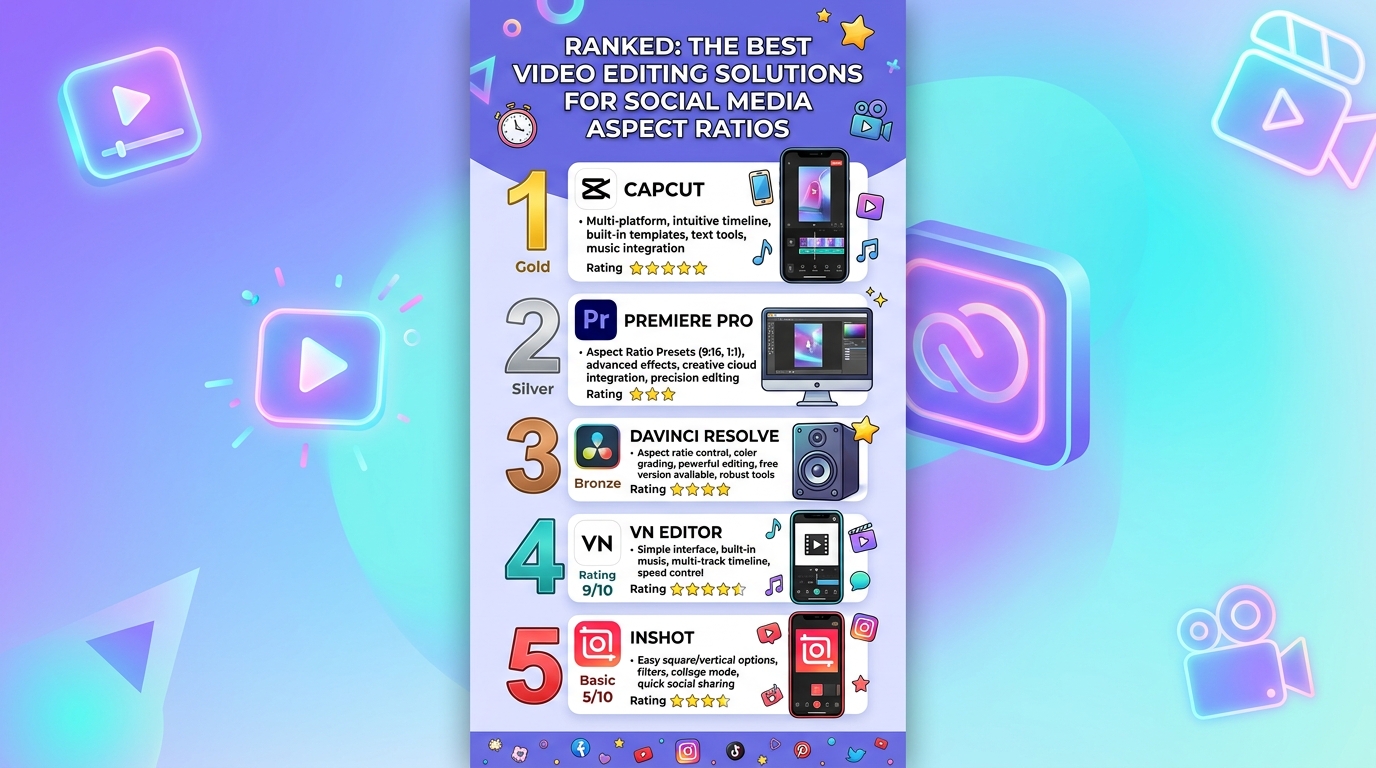

If you publish video to more than one social platform, you already know the frustration of exporting a clip that looks sharp on one feed and shows up cropped, letterboxed, or pixelated on another. Choosing the right video editor is less about polish and more about fit, because the software you pick determines how easily you can move between vertical, square, and widescreen formats without losing quality. This guide walks through what to look for, compares the main categories of video editing solutions, and highlights one strong browser-based option worth testing. By the end, you will know which type of tool matches your workflow, your budget, and the platforms where your audience actually watches.
Why Aspect Ratios Are the Hidden Variable in Social Video
Every social platform has its own preferred frame shape, and that shape decides how much of your footage is visible, how the algorithm displays your post, and whether viewers keep scrolling. A horizontal clip dropped into a vertical feed shrinks to a thin strip in the middle of the screen, while a vertical clip uploaded to a widescreen player gets surrounded by black bars. Either way, the viewer experience suffers and watch time drops.
The platforms themselves keep moving the goalposts. What looked native on one feed last year may need to be reframed today, and creators who shoot once and publish everywhere are at a disadvantage if their editor cannot quickly produce multiple versions of the same clip. The strongest workflow is one where a single source file can be reformatted into every shape your audience expects without re-shooting, re-rendering for hours, or losing image quality on the way out.
This is why aspect ratio support has become a central feature of any modern video editor, not an afterthought. The right tool removes the friction between filming and posting, so you spend more time on the story and less time wrestling with export settings.
The Social Media Aspect Ratios Worth Knowing
Before evaluating any tool, it helps to know the formats you will actually need. Most creators end up using some combination of the following.
The 9:16 vertical ratio is the dominant shape for short-form mobile video, including the major vertical feeds on the leading short-form video apps, vertical clips on the largest video platform, and the stories layer on most social networks. It fills the entire screen on a phone held upright and is the format viewers spend the most time watching.
The 1:1 square ratio remains a workhorse for in-feed posts on photo-first networks and for cross-posting to multiple platforms with a single asset. It performs well when you do not know whether viewers will see your post on mobile or desktop because it occupies a similar amount of screen real estate on both.
The 16:9 widescreen ratio is the standard for long-form video, desktop viewing, and most professional networks. It is also the safest choice when your video will be embedded in a blog post, a newsletter, or a product page.
The 4:5 portrait ratio sits between square and full vertical, and it is favored by creators who want to take up more vertical screen space in a feed without going fully immersive. It is one of the most clicked formats for in-feed photo and video posts.
The 2:3 portrait ratio is associated with pinning platforms and certain story formats. It is taller than 4:5 but not as tall as 9:16, which makes it a useful middle ground for visual idea boards.
Key Criteria for Evaluating a Video Editing Tool
Before comparing categories of tools, anchor your decision around the criteria that actually predict whether you will keep using the software a month from now. The following evaluation points apply to every tool in the market, from desktop suites to mobile apps to web editors.
- Preset aspect ratio library. The tool should offer one-click presets for at least 9:16, 1:1, 16:9, and 4:5, and should label them by use case rather than by raw numbers so you do not have to memorize which ratio belongs to which platform.
- Custom or freeform cropping. Presets cover most needs, but the ability to define your own dimensions matters when a platform updates its specs or when you are exporting for an out-of-home screen, an email, or an embed.
- Export quality controls. Look for resolution options up to 4K, adjustable bitrate, frame rate selection, and the ability to choose codecs that preserve detail. A tool that downgrades your file on the way out is not actually saving you time.
- Cross-device compatibility. The strongest workflows let you start on a phone, finish on a laptop, and access the same project from either. Even if you do most editing on one device, having a fallback prevents missed deadlines.
- Speed and learning curve. The honest measure of an editor is how long it takes a new user to publish their first finished video. Tools that hide complexity behind clean interfaces almost always win for social workflows, while tools that expose every parameter are better for narrative film work.
- Audio handling. At minimum, the tool should let you mute clips, swap audio tracks, and adjust volume levels. Built-in libraries of cleared music are a strong plus for creators who do not want to navigate licensing on their own.
- Trimming and timing precision. Vertical short-form video lives or dies on the first one to three seconds, so frame-accurate trimming is not a luxury. Look for tools that let you set start and end points by typing exact timecodes, not just by dragging handles.
- File size and length limits. Free and freemium tools often cap how long or how large a video can be. If you film in long takes or work in higher resolutions, confirm those limits before committing.
- Output and sharing options. The smoothest workflows let you download the file, share a link, or send the video directly to a connected destination without bouncing through extra apps.
- Pricing transparency. Subscription models, one-time licenses, and free tiers each have tradeoffs. The right choice depends on whether you publish daily, weekly, or seasonally.
Category One: Professional Desktop Editing Suites
The first category covers the heavyweight desktop applications used by film editors, broadcast teams, and full-time content studios. These suites give you frame-by-frame control, advanced color grading, multitrack audio, motion graphics, and deep export menus where you can dial in nearly any aspect ratio and resolution combination you can imagine. If you need to deliver mastered footage to a client, hand off to a colorist, or composite layered effects, this is the category that will not let you down.
The tradeoff is the steep learning curve and the hardware demands. Editors in this category typically require a recent computer with a strong graphics card, plenty of memory, and significant storage for cache and proxy files. Pricing is usually a one-time license or an ongoing subscription, and the software can take weeks of practice before you feel fluent. Aspect ratio support is comprehensive, but you may have to manually configure the export each time, or build a preset library yourself.
For social media workflows specifically, professional suites shine when you are producing high-end campaigns or polished long-form content that gets repurposed into shorter clips. They are less ideal when your goal is to publish three or four short videos a day, because the time you spend in the timeline outweighs the gains in visual quality for most short-form formats.
Category Two: Browser-Based Quick Editors
The second category covers tools you open in a browser, with no install, no plugin updates, and no rendering bottlenecks tied to your local hardware. These editors handle the cropping, trimming, and reformatting tasks that make up the bulk of social video work, and they tend to have the cleanest aspect ratio workflows in the market because that is exactly what they were built for.
This is where Adobe Express deserves a serious look. Its free crop video tool lets you upload a clip up to one gigabyte and an hour long, then choose from preset shapes for the major social platforms or define a freeform crop for anything custom. Three features in particular make it worth considering. First, the preset library is labeled by social use case, so you can move from a vertical short to a square in feed post without thinking about ratios at all. Second, it works equally well on a phone or a desktop browser, which means a creator can capture footage on the go and finish the edit at a desk without moving files around. Third, it bundles trimming and audio muting into the same flow as the crop, so a typical reformat takes less than a minute from upload to download.
The category as a whole is best for creators who value speed, who work across multiple devices, and who want professional-looking output without the overhead of installed software. The limits show up at the high end of production. If you need advanced color science, multicam editing, or deeply layered compositing, you will eventually outgrow what a browser-based tool can do, but that ceiling sits well above what most social content actually requires.
Category Three: Mobile First Editing Apps
The third category lives entirely on your phone, and these apps are designed for creators whose entire production pipeline starts and ends on a mobile device. They typically offer aspect ratio presets, a library of music, basic effects, and one-tap publishing to a connected social account. For many short-form creators, especially those producing daily vertical content, this is the most efficient option.
The strengths of mobile-first apps are speed and immediacy. You can shoot, edit, and post in the same hour without ever opening a laptop. Aspect ratio handling is usually solid for vertical and square formats, since those are the native shapes the apps were built around. Some apps now include surprisingly capable features like background removal, voice effects, and automated captioning.
The weaknesses are mostly about ceiling and control. Export quality is sometimes capped below what desktop tools offer, and project files often cannot be moved to other software for further editing. If you want to repurpose a vertical clip for a widescreen blog embed, you may find the cropping options less flexible than what a browser-based or desktop tool provides. For pure short-form social work, however, the workflow is hard to beat.
Category Four: Template-Driven Editors
The fourth category covers tools built around pre-made templates, where you swap your own footage and text into a pre-designed structure and let the software handle most of the timing, motion, and styling. These editors are popular with marketers, small business owners, and creators who do not consider themselves video professionals but still need polished output on a schedule.
For aspect ratios, template-driven editors usually offer the strongest one-click experience. Most templates exist in multiple sizes, so you can pick a square version for one platform and a vertical version for another from the same starting point. Some tools will even resize a finished video automatically, repositioning text and elements for the new shape.
The tradeoff is a loss of distinctiveness. If a template is popular, your video may resemble dozens of others using the same starting point, which can blunt the impact of your message. The other tradeoff is depth. Template-driven tools rarely offer the precision of timeline-based editors, so when you need to make small timing adjustments or layer complex effects, you may run out of options. For repeatable, on-brand content at scale, the category is hard to beat. For one-of-a-kind storytelling, it can feel constraining.
How to Match the Right Tool to Your Needs
After reviewing the categories, the choice often comes down to three honest questions. How much time can you spend on each video? What level of polish do your viewers actually expect, and where do you do most of your work?
If your videos are weekly long-form pieces with custom motion graphics and color grading, a professional desktop suite is the right home. If you publish multiple short videos per week across platforms with different shapes, a browser-based editor will save you the most hours. If you film and post entirely from a phone, a mobile-first app keeps friction at zero. If you are producing repeatable, templated content for a brand, a template-driven editor will scale further than the alternatives.
A pragmatic approach is to use two tools rather than one. Many creators rely on a desktop or browser-based editor for the main edit, then use a quick action tool to reformat finished videos into additional aspect ratios for cross-posting. This split keeps the heavy work in the right environment while giving you the speed of a quick action when you need it.
Frequently Asked Questions
Which aspect ratio should I export first if I plan to repurpose a video across multiple platforms?
The strongest practice is to film in the largest, highest resolution format you can manage and then crop down for each destination, rather than filming for one platform and trying to expand later. If most of your audience watches on mobile, start with a 9:16 master at 4K resolution, because you can always crop a tall, sharp file into a 1:1 square or a 16:9 horizontal version with room to spare. Filming a 16:9 widescreen video and trying to convert it to 9:16 vertical, on the other hand, almost always means losing the edges of the frame or zooming so far in that the footage gets soft. Always shoot with the most demanding final format in mind and let the other ratios follow from that source.
How do I keep video quality high when I crop or change aspect ratios?
Quality loss usually comes from one of three places: re-encoding, downscaling, or aggressive cropping. To minimize re-encoding artifacts, use a tool that lets you choose your output resolution and bitrate rather than defaulting to a low setting. To avoid downscaling, export at the highest resolution your destination platform accepts, since most social networks compress uploads on their end and will compress a low-resolution file even further. To avoid the visual softness that comes from aggressive cropping, frame your shot loosely during filming so that the central action sits comfortably inside multiple aspect ratios, which is a technique sometimes called shooting safe. For consistent specs across every platform, the team behind Hootsuite maintains a frequently updated social media image and video sizes guide that is useful to keep open while you export.
Do I need different software for each platform, or can one tool handle them all?
In most cases, one well-chosen tool can cover every major platform, because the differences between platforms are aspect ratios, length limits, and codec preferences, all of which any modern editor can adjust. The case for multiple tools usually comes down to specialty rather than necessity. You might use a desktop suite for your main weekly piece because of its color tools, then use a browser-based editor for fast reformatting when you cut that piece into shorter social clips. You might also choose a mobile app for content you film on the go that does not need to match the polish of your studio work. The decision is rarely about whether one tool can technically do the job but rather about whether the tool is the most efficient choice for that specific job.
How important is the difference between a free tool and a paid subscription for social video work?
For most creators, the gap between free and paid is smaller than it used to be, and many free tools handle the core needs of aspect ratio conversion, trimming, and basic audio work without hitting paywalls. Paid tiers tend to unlock things like longer clips, larger file sizes, advanced effects, premium music, removal of watermarks, and access to more storage. The honest test is to use a free version of a tool for two weeks of normal output, then look at exactly which features you bumped into. If you never hit a wall, the free tier is enough. If you regularly hit limits on length, file size, or polish, the upgrade pays for itself quickly. Avoid subscribing to multiple paid editors at once until you have lived inside one of them long enough to know whether it covers ninety percent of your work.
What about captions, subtitles, and accessibility when reformatting for different aspect ratios?
Captions are a major reason aspect ratio choices matter beyond visuals, because text that fits comfortably on a 16:9 widescreen frame often runs off the edges or sits awkwardly low on a 9:16 vertical frame. The strongest tools generate captions automatically and let you reposition them inside the safe zones for each platform, where viewer interface elements like comment buttons and progress bars do not overlap your text. Beyond positioning, more than eighty percent of social video is watched without sound, which means captions are not a courtesy but a basic requirement for reach. When you compare tools, give meaningful weight to the quality of automated captioning, because that single feature can outweigh other differences in your day-to-day workflow.
Conclusion
The right video editing solution for social media is the one that lets you move from camera to feed without thinking too hard about the technical layer in between. Professional desktop suites give you ceiling and control, browser-based editors give you speed and clean cross-platform workflows, mobile-first apps give you immediacy, and template-driven tools give you scale. None of these categories is universally best, and the right answer depends on how often you publish, how polished your audience expects your work to be, and where you actually do the editing.
For most creators who publish across multiple platforms, the practical winner is a browser-based tool with strong aspect ratio presets and the ability to reformat a finished video in under a minute, used alongside whatever heavier editor you already trust for your main work. That combination gives you professional output, real flexibility across vertical, square, and widescreen formats, and enough speed to keep up with the platforms as they continue to shift the rules of the feed.